Event Clock1.2
Publisher Description

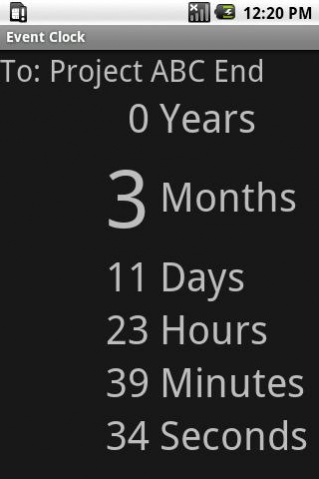
Display the time to or from an event date. The event date can be in the future or past.
The time is displayed as years, months, days, hours, minutes and seconds.
Event Clock can be used as a countdown or count up timer.
For example if you enter the day you were born Event Clock will display your age.
Count down the seconds to the new year.
The app is small, free and have no advertising.
On Android systems the display can be set to always on while charging using the following setting:
Settings -> Applications -> Development -> Stay awake.
Or
Settings > Developer options > Stay awake.
About Event Clock
The company that develops Event Clock is Electronics123 Ltd. The latest version released by its developer is 1.2. This app was rated by 1 users of our site and has an average rating of 5.0.
To install Event Clock on your Android device, just click the green Continue To App button above to start the installation process. The app is listed on our website since 2018-03-20 and was downloaded 8 times. We have already checked if the download link is safe, however for your own protection we recommend that you scan the downloaded app with your antivirus. Your antivirus may detect the Event Clock as malware if the download link to nz.co.electronics123.eventclock is broken.
How to install Event Clock on your Android device:
- Click on the Continue To App button on our website. This will redirect you to Google Play.
- Once the Event Clock is shown in the Google Play listing of your Android device, you can start its download and installation. Tap on the Install button located below the search bar and to the right of the app icon.
- A pop-up window with the permissions required by Event Clock will be shown. Click on Accept to continue the process.
- Event Clock will be downloaded onto your device, displaying a progress. Once the download completes, the installation will start and you'll get a notification after the installation is finished.
Program Details
System requirements
Download information
Pricing
Version History
version 1.2
posted on 2018-03-20
Add toolbar to support devices without a menu button
version 1.1
posted on 2013-07-17
Support more screen sizes and screen resolutions.,Adjust event time to display properly when device rotated.
version 1.1
posted on 2013-04-26
Several fixes and updates
